Baby Name Together
- 4.2
- Rating
- 1.00M
- Installs
- Free
- Price

 Analysis by App-foxy
Choosing a baby name sounds simple until two people bring completely different tastes to the conversation. One person may want something traditional, while the other prefers a short, unusual name that works in several languages. Baby Name Together, a free parenting app from Linkinet, is designed to make that search feel more organized and a little less argumentative. I found it most useful as a shared starting point: instead of passing a notebook back and forth or opening random name websites, you can browse ideas together and gradually narrow the field.
The app is aimed at parents who want help discovering both familiar and less common names. It is available for Everyone, runs on Android devices using at least version 7.0, and has reached more than a million installs. Its current version is 4.0.1, while the app itself has been around since Aug 15, 2014. Those details matter because this is not a brand-new experiment; it is an established name-finding tool, although its age also shows in a few places.
My overall impression is positive, with one important qualification: this is a brainstorming companion, not a complete naming service. It can help you create momentum when every suggestion feels either too ordinary or too strange, but you still need to check pronunciation, spelling, cultural meaning, and how a favorite name sounds with your surname. The best results come from using it as a repeatable conversation tool rather than treating its suggestions as final answers.
You May Also Like

 Blood Strike: 2.5 Anniversary
Blood Strike’s Loadouts Turn Every Drop Into a Tactical Gamble
A close look at Blood Strike’s custom loadouts: how fast access to signature weapons reshapes its battle royale rhythm, rewards preparation, and narrows the gap between fights.

 Pandora - Music & Podcasts
Pandora’s Music Is Easy to Start, but Harder to Recover
Pandora’s strength is its low-effort path from a seed to a station. Its weak spot is how much confidence it asks you to place in connection, setup, and quiet recovery.

 8 Ball Pool
 Is Built on Rivalries, Rematches, and Routine
A close look at the rivalries, rematches, shared routines, and unanswered safety questions that turn a quick pool match into a persistent mobile community.

 Samsung Music
’s Quiet Strength Is Playing What You Already Own
Its reach comes less from spectacle than from dependable access to a personal library. That simplicity is both the app’s strongest retention engine and its ceiling.

 AccuWeather: Weather Radar
AccuWeather Review: A Quick, Clear Forecast for Everyday Decisions
For everyday plans, the best forecast is the one you can understand quickly. AccuWeather makes rain timing, radar, and local conditions easy to act on, with a few trade-offs.

 Hill Climb Racing
Why Hill Climb Racing Still Turns Crashes Into One More Run
A tiny car, a bumpy hill and one more upgrade: Hill Climb Racing keeps resurfacing because its simple chaos makes every near-miss feel personal.
More From Our News Desk



How I used it to turn a vague search into a shared shortlist
The basic workflow is pleasantly easy to understand. I opened the app with a broad question in mind instead of expecting it to identify one perfect name immediately. That distinction makes a difference. Name apps can be frustrating when users judge every suggestion instantly, but browsing works better when you first collect possibilities and only evaluate them afterward.
For a couple, the most practical routine is to sit together for a short session and react quickly. Keep the first pass light: mark names that create a positive reaction, skip names that clearly do not fit, and avoid debating every choice on the spot. The app is more helpful when it keeps ideas moving than when it becomes a courtroom for each syllable.
I also recommend making separate mental groups while browsing. One group can contain names you would seriously consider, another can hold names that are interesting but need research, and a third can simply capture inspiration. This prevents an unusual suggestion from being forgotten while also stopping a name that merely looks attractive on screen from becoming an accidental favorite.
A realistic everyday scenario would be a couple searching after dinner with ten minutes available before one person has to leave. Rather than trying to complete the entire process, they can browse together, note a small set of candidates, and return later with fresh ears. That repeatable habit is more useful than a single long session, because opinions often change once you say a name aloud or imagine using it in ordinary situations.
When I tested the app mentally against the usual alternatives, its strongest advantage was the shared focus. A printed baby-name book offers depth but can feel slow to search. A general web search offers enormous choice but often produces duplicated lists, advertising, and distractions. A notes app gives you control but no discovery. Baby Name Together sits between those options: it supplies a focused environment for exploring names while leaving the final judgment to you.
That middle position is also its first limitation. If you want detailed background on every name, including historical origin, regional use, pronunciation guidance, or popularity trends, you may still need a separate reference source. I would not use this app as the only research step for a name that has multiple spellings or meanings across cultures.
Settings and preparation that make browsing more useful
Before spending a long evening with any name app, I would check the available preferences and browsing controls rather than accepting the first presentation automatically. The useful question is not simply whether the app contains many names; it is whether the way it presents them matches your search. If a setting lets you adjust how suggestions are displayed or filtered, use that to reduce noise. If your version offers fewer controls, accept that early and keep your own shortlist outside the browsing screen.
I found it helpful to decide on practical boundaries before opening the app. For example, agree whether you are looking for a name that is easy to spell, whether uncommon names are welcome, and whether the first name must flow with the family name. This turns browsing into a targeted exercise. Without boundaries, a couple can spend a long time reacting to isolated names without learning what they actually agree on.
Another useful preparation step is to say your surname aloud several times before choosing favorites. A name that looks elegant in a list may create an awkward rhythm when spoken with the family name. Check the initials too, especially if the first and middle names are already being considered. The app can generate inspiration, but it cannot replace this real-world sound test.
For multilingual families, I would treat every promising suggestion as a candidate for a second check. Ask how grandparents or relatives would pronounce it, whether the spelling changes in another language, and whether the name carries an unintended meaning. This is one of the clearest cases where an external source is better than relying on a name browser alone.
The app is free to download, which makes it easy to try without committing money at the beginning. It also includes in-app purchases ranging from $2.49 to $7.99 per item. I would explore the free experience first and only consider an optional purchase after deciding that the app genuinely improves your process. A paid addition is worthwhile only if it solves a specific problem for your family, such as making the browsing experience more convenient; it should not be treated as a guarantee of better names.
Its 4.3 average from around 6.8 thousand ratings suggests that many users find the concept useful, and the app has about 247 written reviews that can help reveal how other parents experience it. I would read those comments with a little caution, because naming preferences are highly personal. A complaint about the selection may reflect taste rather than a technical problem, while a glowing reaction may come from someone whose naming style happens to match the app.
Faster patterns for couples who keep getting stuck
The fastest approach I found is to separate discovery from decision-making. During discovery, move quickly and save only names that deserve a second look. During decision-making, close the app and discuss the shortlist in normal conversation. This prevents the visual flow of suggestions from pushing you toward a name simply because it appeared at the right moment.
A second pattern is to use two passes with different standards. In the first pass, allow names that are only “maybe” material. In the second, ask stricter questions: Can we imagine calling this name across a playground? Would we be comfortable spelling it repeatedly? Does it work for a child and an adult? Does it sound natural with the surname? This two-stage method produces better decisions than demanding certainty from the first screen.
I would also avoid showing every suggestion to the other person. That may sound counterintuitive for a shared app, but a little structure helps. One partner can browse for a few minutes and bring forward a small selection, then the other partner can react without feeling overwhelmed. Afterward, swap roles. This is especially useful when one person enjoys exploring hundreds of possibilities and the other becomes tired after the first dozen.
Another practical habit is to revisit rejected names later, but only when the rejection was mild. A name that felt unfamiliar may sound better after you have seen it a few times. On the other hand, names rejected because of a serious family association, pronunciation issue, or unpleasant meaning should stay off the list. The app can encourage discovery, but it cannot tell the difference between a temporary hesitation and a firm boundary.
Use the app at different times of day if you can. A name that feels exciting late at night may seem impractical in the morning. Try saying each finalist in several tones: affectionately, firmly, and in a routine instruction. This is a small but revealing test. Parents will use a name in many emotional situations, not only while admiring it in a list.
One non-obvious trade-off is that a large pool of ideas can make agreement harder, not easier. More options are useful at the beginning, but they become a burden once you have enough candidates. I recommend setting a stopping rule, such as ending a session when you have a manageable handful of serious possibilities. The exact number is less important than preventing endless browsing from replacing an actual decision.
Where the app helps advanced users, and where it reaches its limits
Experienced users can get more from Baby Name Together by building a consistent routine around it, but they should not expect it to behave like a full database or a personal naming consultant. The app’s central value is the act of finding and comparing ideas. It does not remove the research and family discussion that come afterward.
For example, if you are choosing a name with a particular cultural, religious, or linguistic requirement, use the app to widen your initial list, then verify each serious candidate elsewhere. The same applies to names with unusual spelling. A creative spelling may look distinctive, but it can create repeated corrections at school, work, medical appointments, and travel. The app can help you discover the sound you like; it cannot decide whether the spelling will be practical for your child.
I would also be careful with the emotional effect of browsing. When a couple has struggled to agree, a fresh list can feel like progress even when the underlying disagreement has not changed. If one person prefers classic names and the other wants something rare, use the app to identify the overlap between those positions. Perhaps the compromise is a familiar first name with a more distinctive middle name, or a traditional name with an uncommon nickname. The application is most valuable when it supports that conversation.
Another limitation is that a name’s appearance in a list does not tell you how common it is in your own community. A name may feel rare in one country and very familiar in another. If avoiding popularity matters, check local records or trusted regional sources before making a final choice. This is a clear situation where a specialized reference is better than a general discovery app.
Privacy-conscious parents may also prefer a simple workflow: browse without entering personal details, keep the shortlist in a separate private note, and avoid treating the app as a place to store sensitive family information. I am not suggesting that the app requires such information; I simply prefer minimizing personal data in any naming tool. The shortlist itself can reveal family preferences, so keeping a private backup is sensible.
Device compatibility is another practical consideration. The minimum Android requirement of 7.0 means many older devices can run it, but anyone using an older phone should still expect the experience to depend on that handset. Since the app has been maintained across many years, the interface may feel less polished than newer parenting products. That does not prevent it from being useful, but users who expect modern visual design and extensive customization may find it basic.
Parents who want a completely offline, paper-like experience may prefer a book or a simple document. Parents who want deep etymology, audio pronunciation, popularity charts, or broad cultural notes should look for a more specialized naming reference. I would also skip this app if you already have a carefully prepared shortlist and only need verification. Its strength is generating and organizing inspiration, not replacing final due diligence.
My verdict after building a repeatable naming habit
Baby Name Together works best when you give it a defined role. Use it at the start of the process to break through a blank page, use it again to discover alternatives when your shortlist becomes repetitive, and then step away from it for the serious checks. That workflow keeps the app useful without asking it to answer questions it was not built to answer.
I like that the app is free to begin with and focused on a very specific parenting problem. The fact that it has passed a million installs and maintains a 4.3 average shows that the idea has found a substantial audience. Still, those figures should not be mistaken for proof that every family will enjoy the selection. Name preferences are intensely individual, and the right tool for one couple may feel too limited for another.
My favorite practical tip is to keep the sessions short, speak the names aloud, and return to the shortlist after a break. My second is to separate “interesting” from “usable” so that creativity does not get confused with readiness. My third is to verify every finalist against your surname, languages, family context, and everyday spelling demands. These habits add more value than simply scrolling through more suggestions.
The app is a good fit for expectant parents who are open to discovery, couples who want a shared starting point, and anyone who has exhausted the obvious names but is not ready to consult a large reference book. It is less suitable for users who need detailed name research, regional popularity information, or a highly customizable professional database.
After using it, I would recommend Baby Name Together to a friend with the same honest warning I would give in person: let it widen your thinking, but do not let a list make the decision for you. Linkinet has created a straightforward parenting app that can make an awkward conversation more playful and productive. With a little preparation, a stopping rule, and careful follow-up research, it becomes a useful part of the naming process rather than just another list to scroll through.
For a free app in the parenting category, it earns a place on my shortlist of practical tools. The optional purchases mean you should decide whether extra convenience is worth paying for, but there is no need to rush into that choice. Try the basic workflow first, see whether both parents actually enjoy using it, and keep the final decision grounded in how the name sounds, feels, and functions in real life.
FAQs for Baby Name Together
01What is Baby Name Together and how does it work?
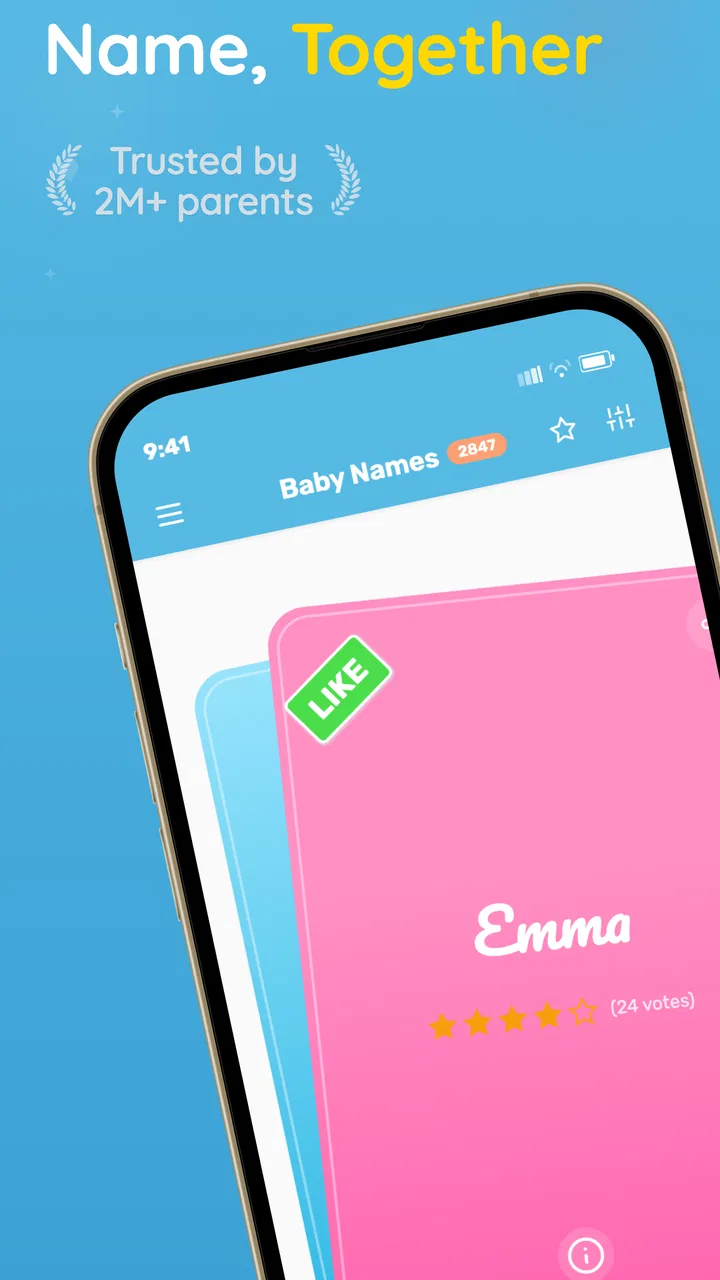
Baby Name Together is an app designed to help couples find the perfect name for their baby. It allows users to create a personal list of favorite names by swiping right or left, similar to a dating app. Couples can then sync their lists to see which names they both like, making the naming process collaborative and fun.
02Is Baby Name Together available for both Android and iOS devices?
Yes, Baby Name Together is available for download on both Android and iOS platforms. Users can find it on the Google Play Store for Android devices and the Apple App Store for iOS devices. The app offers a seamless experience across both operating systems, ensuring that couples can use it regardless of their device preference.
03Are there any costs associated with using Baby Name Together?
Baby Name Together offers a free version with essential features that allow users to browse and select names. However, there is also a premium version available for purchase. The premium version provides additional features, such as access to a larger selection of names, advanced filtering options, and the ability to sync more lists.
04How does Baby Name Together ensure the privacy of my information?
The app is designed with user privacy in mind. Baby Name Together does not require sensitive personal information, and all data entered is stored securely. The app also adheres to strict privacy policies to ensure that your information remains confidential and is not shared with third parties without consent.
05Can Baby Name Together help with choosing names from different cultures?
Yes, Baby Name Together includes a diverse selection of names from various cultures and languages. The app allows users to filter names by origin, ensuring that they can find meaningful names that reflect their cultural heritage. This feature is particularly useful for multicultural families looking to honor their backgrounds.
Pros
- User-friendly interface for easy navigation.
- Extensive database of unique names.
- Customizable search filters enhance experience.
- Collaborative features for partner input.
- Save favorite names for future reference.
Cons
- Limited offline functionality.
- In-app ads can be distracting.
- Some features require premium access.
- Occasional glitches with notifications.
- Limited support for non-Latin alphabets.

Baby Name Together
Gallery